A honest, hands-on breakdown of the trending Instagram AI photo prompt everyone’s copying right now
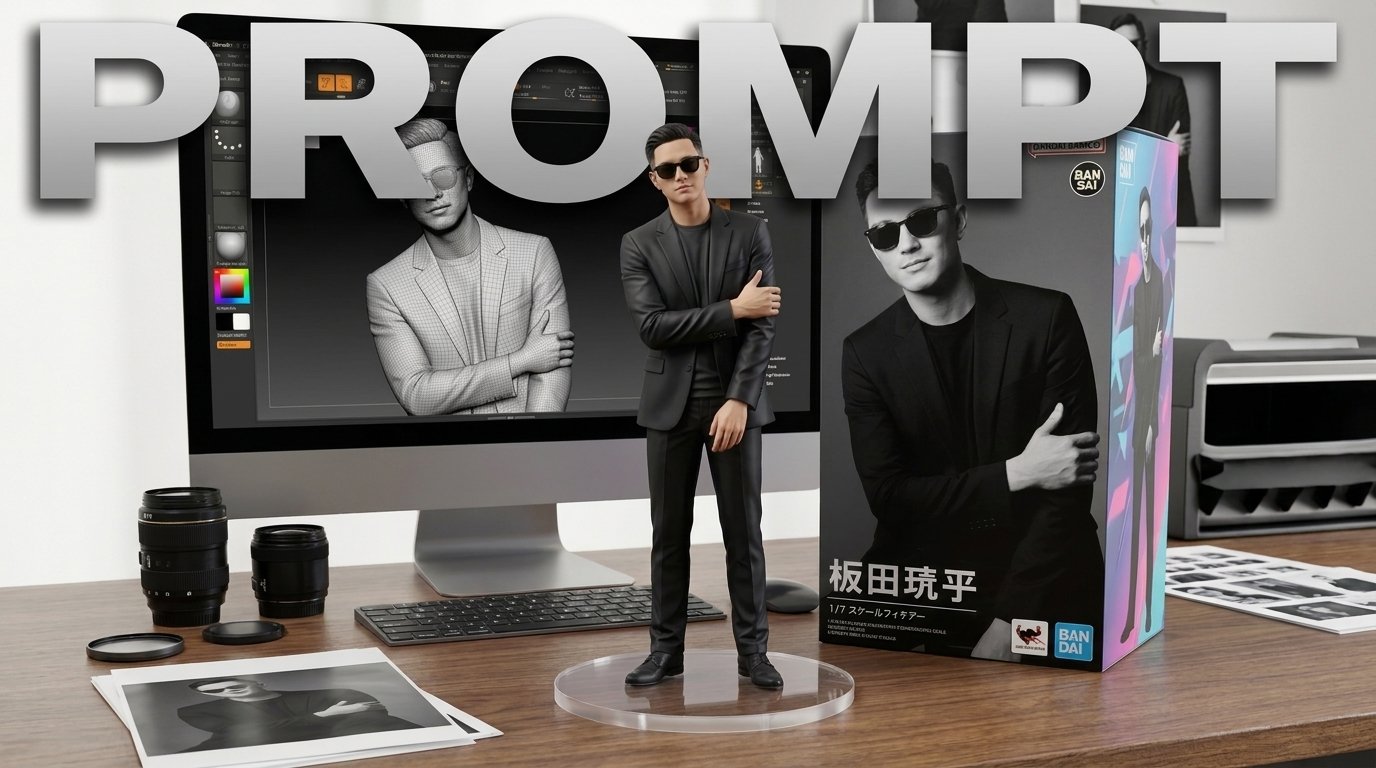
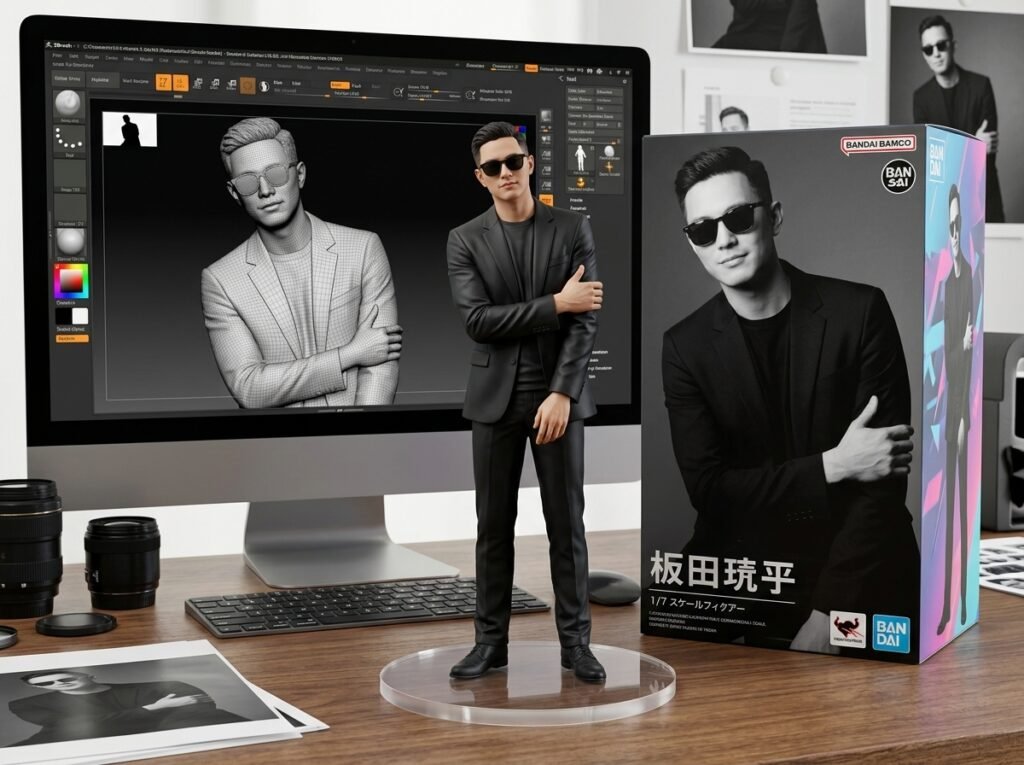
So it was a Tuesday night, I was scrolling Instagram like a zombie, and my feed was suddenly flooded with these weirdly satisfying pictures — people turning themselves into little collectible toy figures, boxed up like a Bandai action figure, sitting next to a computer screen showing the “modeling process.” Every third post. My cousin posted one. My old college roommate posted one. Even a guy I follow who only ever posts gym selfies posted one.
Naturally, I had to know how it was done. I assumed it was some paid app with a slick interface. It wasn’t. It was one single, oddly specific text prompt being copy-pasted into AI image tools like Midjourney, ChatGPT’s image generator, and Google’s Gemini/Nano Banana. That’s it. No fancy app, no editing skills, just a well-written prompt doing all the heavy lifting.
I spent an entire weekend testing it, breaking it, fixing it, and figuring out why some of my attempts looked amazing and others looked like a melted action figure left in a hot car. Here’s everything I actually learned.
Why This Trend Blew Up in the First Place
People love seeing themselves reimagined. That’s really the whole psychology behind it. It’s the same reason Snapchat filters and those “Bollywood poster” AI trends from a couple years back went viral — everyone wants to see a stylized, slightly idealized version of themselves without having to do anything except upload a selfie.
This particular trend hits different because it’s not just a filter over your face. It generates an entire scene: a toy version of you, in packaging, on a desk, with a screen showing the “behind the scenes” 3D modeling. It feels like a mini production, not a gimmick. That extra layer of detail is exactly why it looks so shareable.
The Exact Prompt Everyone’s Using
I’m not going to dance around it — here’s the prompt in full, exactly as I used it. I dropped it into a little copy box below so you don’t have to type it out manually or risk messing up the wording (and trust me, small wording changes really do change the output).
A few real notes before you rush off and paste it somewhere:
- This prompt is written for a male character (“the man character”). If you’re uploading a photo of yourself as a woman, or a female character illustration, swap “man” for “woman” or just “character” — otherwise the tool sometimes gets confused and generates a random guy instead of you.
- You need to upload a clear reference image alongside this prompt. A plain selfie with decent lighting works better than a group photo or something with a busy background.
- Results vary a LOT between tools. I got the cleanest results from ChatGPT’s image generation and Gemini. Midjourney gave me more artistic, less “photo-realistic” results.
My Actual Step-by-Step Process
Here’s exactly what I did, mistakes included:
- Picked a clean reference photo. First attempt I used a blurry gym mirror selfie. Big mistake — the AI generated a figure with my face looking smudged, like a wax statue left near a heater.
- Opened an AI image tool. I used ChatGPT (with image generation turned on) for most of my tests, and also tried Gemini’s image tool for comparison.
- Uploaded the photo first, then pasted the prompt right after it in the same message. Doing it the other way around — prompt first, photo after — gave noticeably worse results for me.
- Waited it out. First render took about 20-30 seconds. Don’t panic and resend the message if it seems slow, that just confuses the tool and you get a completely different composition.
- Reviewed and re-rolled if needed. My first output had the acrylic base looking cloudy and weirdly yellow. I just replied “make the acrylic base clearer and more transparent” and it fixed it in one try.
- Downloaded, cropped, posted. I did a light crop on Instagram itself before posting — most of these look better as a square post rather than the AI’s default rectangular output.
Real talk: my third attempt was the one that actually looked good enough to post. The first two are still sitting in my camera roll, never to be seen again. That’s normal. Don’t post your first result if it looks off — regenerate.
Mistakes People Keep Making With This Prompt
Using a low-quality or side-angle photo. The AI needs to actually see your face clearly to recreate it on a toy figure. A side profile or a photo where you’re wearing sunglasses usually gives a distorted result.
Forgetting to specify gender or details. If the uploaded photo isn’t super clear, the AI sometimes defaults to a generic look. Adding a short line like “keep the same hairstyle and outfit as the photo” helps a lot.
Expecting instant perfection. I’ve seen people give up after one bad generation. Realistically, I needed 2-4 attempts before I got a version worth posting, and that’s completely normal with any AI image prompt.
Not checking the tool’s usage limits. Free versions of these AI tools usually cap how many images you can generate per day. I burned through my free ChatGPT image credits faster than I expected, so budget your attempts.
A Few Extra Tips That Actually Made a Difference
- If your figure’s face looks “off” or too smooth, add: “preserve realistic facial detail and skin texture” to the prompt.
- Want a different setting than the desk? You can tweak just that one line, like swapping “computer desk” for “wooden studio desk” — the rest of the prompt still works the same.
- If the packaging box text looks garbled (AI still struggles with text sometimes), just ask it to “leave the packaging box text area blank” and add your own text in Canva afterward.
- Try it with a pet photo too — I tested it with my dog “in illustration style” for fun and it actually turned out adorable.
Is It Actually Worth Doing?
Honestly? Yeah, if you enjoy this kind of playful content and don’t mind spending twenty minutes tweaking a prompt. It’s not going to change your life, but it’s a genuinely fun way to get engagement on your Instagram without hiring a photographer or learning Photoshop. I got more comments on my toy-figure post than I did on an actual vacation photo, which says a lot about how these trends move.
Just don’t expect the very first output to be your final post. Treat it like taking a bunch of selfies before picking “the one” — same idea, just with an AI doing the camera work instead of you.
If you’re going to try this yourself, copy the prompt box above, grab a decent photo, and just start generating. Worst case, you waste twenty minutes. Best case, it’s your most-liked post this month.